Best Prop Firms for Algorithmic Trading in 2025

The best prop firm for an algorithmic strategy is one that permits your method on the account and platform you will actually use. A large advertised balance, high profit split, or TradingView chart does not establish that an existing bot can trade there. Check automation permissions, platform compatibility, loss calculations, and payout conditions before comparing fees.
This comparison revisits five firms from the original 2025 guide using official information checked September 8, 2026. Several conclusions have changed: DNA Funded has paused new orders during a platform migration, Top Tier Trader’s website now leads to TX3 Funding, and current automation rules differ materially between the firms. LuxAlgo’s native charts and Quant, our coding agent, can support strategy development and testing; execution eligibility remains a separate question.
Algorithmic Prop Trading: Current Comparison
| Firm | Current automation position | Main qualification |
|---|---|---|
| DNA Funded | EAs and algorithms allowed on 1 Phase, 2 Phase and Rapid accounts | New orders currently paused; Instant Funding and 24-hour challenges are manual only |
| Top Tier Trader / TX3 Funding Forex | Current policy requires manual execution | No EAs, execution bots or external API connections; not a current algorithmic choice |
| BrightFunded | EAs permitted subject to trading rules and compatibility | DXtrade does not support API or automated trading; confirm the specific bot and platform |
| ThinkCapital | Compatible third-party automation permitted; inform support in advance | ThinkTrader only in the current EA policy; traditional MT5 EAs do not run there natively |
| Topstep | Custom bots permitted through the paid TopstepX / ProjectX API under its rules | Order flow must originate from a personal device; ProjectX API automation is prohibited in Live Funded Accounts |
These are conditional fits, not a ranking or an assurance that a firm will approve a particular strategy. Forex and CFD programs generally offer simulated accounts with contractual rewards. Topstep’s futures program distinguishes the Trading Combine, Express Funded Account, and Live Funded Account. The advertised account size is not a cash grant or the amount you can safely lose.
Use LuxAlgo to Compare Rules and Test Assumptions
The LuxAlgo Prop Firms portal separates futures and CFD research, with firm, challenge, and offer views and filters such as assets and platforms. It also provides a Monte Carlo simulator and precomputed results for reference trader profiles. Use the directory to build a shortlist, then confirm the firm’s current purchase availability, rulebook, and account agreement.
The simulator explores how an assumed win rate, average winner in R, trades per day, and risk interact with encoded challenge rules. It distinguishes simulated passing outcomes from payout outcomes and includes assumptions and rules that are not simulated. Reproducibility means that identical inputs and a seed produce the same modeled result; it does not mean the result predicts your real probability of passing.
| Research question | What to examine | Why it matters |
|---|---|---|
| How does the loss floor move? | Static, end-of-day trailing, intraday trailing, or trailing until a cap | Giving back open profit can breach some accounts even when closed-trade drawdown looks acceptable |
| How is daily loss measured? | Reset time, balance or equity anchor, open P&L, fees and breach timing | Two advertised 5% limits can behave differently |
| What qualifies for a payout? | Winning days, consistency, profit buffer, minimum request and account stage | Passing a challenge does not automatically qualify every profit for withdrawal |
| How current is the model? | Dataset verification date, encoded terms and unsimulated rules | A repeatable calculation can still use rules that have since changed |
| How sensitive is the outcome? | Lower win rate, smaller winners, higher costs and clustered losses | One favorable input combination is weak evidence for a purchase decision |
The portal’s precomputed table displayed a January 15, 2026 rule-verification date when reviewed. Compare that with newer official policies before relying on a result, and use custom rules where appropriate. Suggested strategies are research starting points, not approved account configurations. Offers can reduce an entry fee, but do not improve a strategy’s edge or remove the cost of a failed attempt.
1. DNA Funded: Standard Challenges Allow Automation, but Purchases Are Paused
DNA Funded’s current homepage states that MT5 accounts are migrating to TradeLocker, affected clients have been notified, and other trading remains unaffected. It also says new orders are currently paused. Treat that as a purchasing limitation rather than assuming the firm’s entire existing service has stopped.
Its official FAQ permits EAs and algorithms on 1 Phase, 2 Phase, and Rapid accounts, subject to prohibited-strategy rules. Instant Funding and 24-hour challenges are limited to manual trading. A general “EA-friendly” label therefore does not apply to every DNA Funded product.
Published One-Phase Fees
| Simulated account size | Published one-time fee |
|---|---|
| $5,000 | $59 |
| $10,000 | $89 |
| $25,000 | $179 |
| $50,000 | $319 |
| $100,000 | $619 |
| $200,000 | $1,209 |
The displayed one-phase terms include a 10% target, 4% daily loss limit, 6% total loss limit, and five minimum trading days. The base split is 80%, with a booster to 90%; a separate booster shortens the stated payout cycle from 14 to seven days. These published figures are a comparison reference during the pause, not confirmation that an order can currently be placed. Two-phase and Rapid products have their own terms.
Automation and Platform Limits
The platform FAQ points to TradeLocker’s API for compatible automation. That is not evidence that an MT4 or MT5 EA file runs unchanged on TradeLocker. Test the actual implementation, symbols, sizing, order handling, and connection before relying on it. TradingView-powered charts inside another platform are also different from a broker connection within TradingView or native Pine strategy execution.
DNA Funded prohibits HFT, reverse arbitrage, hedging, and copying from non-DNA Funded accounts in both evaluation and funded stages. Its funded-stage restrictions additionally list latency arbitrage, news scalping, reverse hedging, hedge arbitrage, tick scalping, grid trading, martingale, and one-sided betting. Copying between different users or from external accounts is prohibited. A bot that passes evaluation can still violate the funded-stage policy.
DNA Funded describes its accounts as simulated and states that it is not a broker and does not accept deposits. Its relationship with DNA Markets should not be treated as proof that a prop-firm fee or reward agreement receives the same protections as an account with a regulated broker.
2. Top Tier Trader / TX3 Funding Forex: No Longer an Algorithmic Recommendation
The former Top Tier Trader website now redirects to TX3 Funding’s FX offering. The current Expert Advisors and automated systems policy says that EAs and automated trading systems are not supported on any of its platforms, explicitly naming MatchTrader, MT5, and A-Trader.
That policy prohibits third-party tools or bots that execute automatically and APIs connecting external trading software or automation services. All trades must be executed manually within the platform. This overrides the original article’s broad description of Top Tier Trader as an algorithm-friendly option.
TX3 Funding Forex may still be considered for a manual trading workflow, but a low challenge fee or an advertised profit share is not a reason to shortlist it for automated execution under this policy. Its futures offering is a separate product and is not evaluated here. The FX disclosure describes simulated evaluations and virtual capital; broker backing does not convert those accounts into live brokerage balances.
3. BrightFunded: EA Permission Depends on Platform and Strategy
BrightFunded’s EA policy permits Expert Advisors while requiring compliance with daily and total loss limits and other trading rules. It does not guarantee third-party EA compatibility or performance. Crucially, DXtrade does not support API or automated trading. Its current website lists MT5, cTrader, and DXtrade; an algorithmic trader needs to select and test a compatible implementation rather than treating these as interchangeable.
Current Two-Step Bright Pricing
| Simulated account size | Standard displayed fee, EUR |
|---|---|
| $5,000 | €47 |
| $10,000 | €87 |
| $25,000 | €187 |
| $50,000 | €277 |
| $100,000 | €477 |
| $200,000 | €947 |
The Two-Step Bright page lists targets of 8% and 5%, a 4% daily loss limit, an 8% total loss limit, and five minimum trading days. These euro fees exclude the temporary promotion displayed when reviewed. One-Step and Two-Step Classic are separate choices; use their own rules and prices when comparing them.
The site’s payout FAQ describes a default 80/20 split and a first payout request 30 days after the first funded trade. Weekly payouts, a 90% ratio, and a 100% challenge-fee refund appear among the add-ons. The advertised route to a 100% share is conditional on the scaling plan. Do not assume that passing an evaluation automatically refunds the fee or enables weekly payouts on the base plan.
EA Permission Is Not Permission for Every Automated Method
The prohibited-strategies policy excludes practices including HFT, tick scalping, grid trading, arbitrage, cross-account hedging, and exploitation of pricing delays or technical errors. It also contains broad restrictions on high-speed and certain AI or mechanically driven systems. Read that policy alongside the EA permission and obtain clarification on a specific implementation before committing to it.
BrightFunded’s Trade2Earn loyalty program and scaling benefits can be secondary considerations, but compatibility, remaining loss allowance, trading costs, and payout eligibility come first. Its CFD accounts are simulated. MT5 availability is restricted for US and UAE residents or citizens, among other restricted locations, so verify your permitted platform before paying.
4. ThinkCapital: ThinkTrader-Compatible Automation with Advance Notice
ThinkCapital’s current EA policy says accounts are offered exclusively on ThinkTrader. Automation is permitted by default across challenge and funded account types, but ThinkTrader does not support traditional EAs in the same way as MT5. The previous assumption that a trader can simply select MT5 and attach an existing EA is therefore outdated.
Compatible third-party risk tools, trade-management software, or bots may be used, but clients must inform support in advance with full details. ThinkCapital may request the EA file or proof of purchase. Confirm the actual tool and connection before purchase; an API offered by the related ThinkMarkets broker is not proof of API access for a ThinkCapital account.
The platform FAQ confirms that ThinkTrader integrates with TradingView for direct trading and account management. This is distinct from proving that a TradingView strategy or webhook can execute through a particular third-party service. The automation policy and tool compatibility still govern that workflow.
A Current Entry-Plan Example
The current plan selector displays a $59 fee for the $5,000 Dual Step Intraday challenge. It lists 9% and 5% profit targets, a 4% daily loss limit, a 7% challenge maximum loss limit, an 8% funded maximum loss limit, and three minimum trading days. The stated payout frequency is 14 days, with a seven-day add-on, and the headline split is up to 90%.
Lightning, Nexus, Swing, and Bolt choices have separate conditions. Match the selected plan’s rules to the actual strategy rather than mixing the cheapest price from one plan with the most generous limit from another. ThinkCapital supplies simulated accounts and says it is not a broker or deposit-taking service. Its platform FAQ also excludes crypto trading from Bolt accounts.
ThinkCapital is a conditional candidate for someone with a demonstrably compatible ThinkTrader tool and a clear account-rule model. It is not a verified plug-and-play home for an existing MT5 EA, nor does its TradingView integration by itself validate an automated routing arrangement.
5. Topstep: Futures Automation with Important Stage Restrictions
Topstep’s TopstepX / ProjectX API guide permits custom trading bots and connections to third-party tools, subject to normal trading rules and its HFT prohibition. The API supports execution and live or historical market-data access. API access is billed separately at $29 per month; the guide lists a recurring 50% discount with code “topstep,” making it $14.50 per month for Topstep traders.
All trading activity must originate from a personal device. The guide prohibits VPS, VPN, and remote-server order transmission, including relaying orders or automated triggers that reach order endpoints. A private server may store data, support research, or host a read-only dashboard, but cannot trade. Check this before adopting a hosted bot or webhook service.
The Live Funded Account rules say automated strategies are permitted but automated trading through the ProjectX API is prohibited in the LFA. Passing a simulated stage does not guarantee that the same automation connection can continue into live funding. Plan for that transition and confirm the permitted live implementation before choosing Topstep for a long-term automated workflow.
Trading Combine Costs
| Account tier | Standard monthly fee | No Activation Fee path, monthly |
|---|---|---|
| $50,000 | $49 | $95 |
| $100,000 | $99 | $149 |
| $150,000 | $199 | $229 |
The pricing guide lists a $149 activation charge for each earned Express Funded Account on the Standard path and no activation charge on the higher-monthly-fee path. Resets follow the corresponding plan price. API access, applicable taxes, and other account costs are separate; compare the expected total cost over several months, not just the first payment.
Commissions and fees are deducted from each filled trade and included in net P&L, including in the Trading Combine and Express Funded Account. Simulated trading is not commission-free. Consult the account-specific schedules for exchange data and live-account costs as well.
The current TopstepX guide documents charting, order management, account risk controls, and a performance dashboard. Those controls can complement a bot but do not guarantee that a stop fills at its requested price or that every loss rule will be avoided. Topstep does not provide coding support or endorse third-party API vendors, and API orders are not subject to review or reversal.
Develop and Review the Strategy with LuxAlgo
Use LuxAlgo’s native charts and Quant, our coding agent, to turn a trading hypothesis into an editable indicator or strategy. Define the market, timeframe, entry, exit, sizing, and session behavior first. Review the generated Code and Run settings and inspect Inputs and Properties; an indicator that plots a signal is not automatically a strategy that simulates orders.
For example, a trend-following pullback method needs explicit rules for the trend filter, retracement, entry trigger, stop distance, exit, and overlapping exposure. Test normal candles with realistic commissions and slippage, inspect individual trades, and reserve later data for evaluation. A favorable historical result does not establish future profitability.
Then model the account constraints separately: daily reset time, balance versus floating equity, trailing loss floor, maximum exposure, news windows, and payout deductions. LuxAlgo’s strategy testing tools do not automatically reproduce every proprietary firm’s breach logic. The account dashboard and current rulebook remain the authority for the firm’s limits.
A Current LuxAlgo Workspace Demonstration
This short demonstration shows the current LuxAlgo workspace interface used to organize research. It illustrates the analysis environment, not live order routing or an automated prop-account connection.
Keep Research, Execution, and Review Connected
- Research: define a reproducible strategy and record the assumptions behind each test.
- Validate: check later data, costs, losing streaks, open exposure, and the firm’s account rules.
- Implement: use an allowed platform and compatible execution tool; test order sizing, duplicates, connection loss, and exits.
- Monitor: record actual fills and remaining loss allowance, and stop the system when its behavior differs from the tested design.
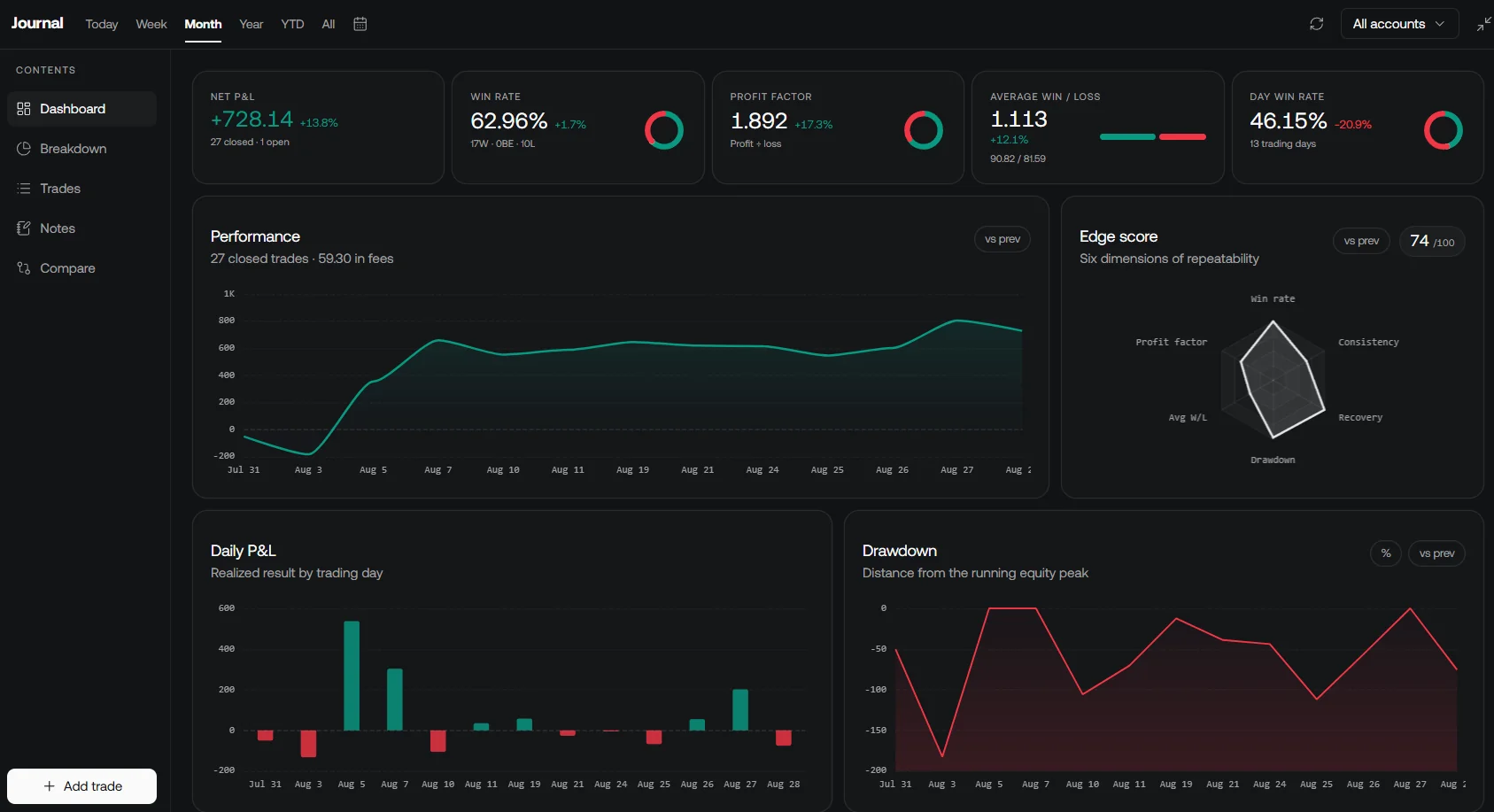
LuxAlgo’s native journal helps review recorded trading performance. Compare actual fills and costs with the research assumptions, and record rule-related events such as a news restriction or payout adjustment. Do not infer an automatic connection to every prop firm from the presence of a journal.
Separate Research and Execution Workflows
Library tools, Quant backtests and strategy alerts are research outputs. Do not assume that a signal, tested configuration, or alert is already an approved execution connection to a prop account.
The open-source TradeRelay project is a separate tool with documented adapter support. It is not a universal bridge to the five firms in this comparison. Check supported execution destinations and each firm’s automation and hosting rules rather than treating generic webhook compatibility as permission.
Budget for Research Tools Separately
| LuxAlgo plan | Monthly billing | Annual total | Monthly equivalent, billed annually |
|---|---|---|---|
| Free | $0 | $0 | $0 |
| Premium | $67.99 | $479.88 | $39.99 |
| Ultimate | $119.99 | $719.88 | $59.99 |
| Ultra | $229.99 | $1,439.88 | $119.99 |
Standard LuxAlgo pricing excludes temporary promotions. Annual equivalents are not month-to-month prices. Keep the charting subscription, evaluation or activation fees, automation service, data, and trading costs as separate budget items. A discounted subscription or challenge does not offset an unsuitable strategy or account rule.
How to Choose a Firm for Your Algorithm
Start by eliminating incompatible accounts: manual-only TX3 Funding Forex, DNA Funded’s manual-only products, BrightFunded DXtrade for automation, an unverified MT5-to-ThinkTrader conversion, or a Topstep system that requires prohibited remote order flow. Among the remaining candidates, compare the actual loss allowance and rules against the strategy’s trade distribution.
A high advertised split matters only after an eligible reward is approved. A larger simulated balance matters only in relation to its risk limits. Community discussions and educational resources can help explain workflows, but neither testimonials nor a broker relationship establish reliable payouts, rule compatibility, or future trading results.
Before buying, retain the selected plan’s current terms and confirm any ambiguous bot behavior with the firm. Recheck after platform migrations, rule updates, or a move to a new funding stage. LuxAlgo can support the research and review process; it cannot guarantee that an algorithm passes a challenge, avoids losses, or qualifies for a payout.
FAQs
Can I use any trading bot with an EA-friendly prop firm?
No. Permission depends on the exact account, platform, strategy, and execution setup. Some firms permit EAs but prohibit HFT, grid trading, certain copying, or remote order routing. Test compatibility and clarify the specific implementation before buying.
Can a TopstepX API bot continue unchanged into a Live Funded Account?
No. Topstep’s current Live Funded Account rules prohibit automated trading through the ProjectX API, although they permit automated strategies through other compliant arrangements. Confirm the allowed live implementation before relying on a transition.
Do LuxAlgo simulator results predict my actual chance of passing?
No. They are modeled outcomes based on supplied trading assumptions and encoded rules. Check the dataset date, unsimulated conditions, and current firm policies, and test less favorable assumptions. Neither the simulator nor a strategy backtest guarantees passing or a payout.
Read next