MetaTrader: Forex Platform Breakdown

MetaTrader is the client-and-server trading platform developed by MetaQuotes and licensed to brokers, who run the server and give their clients the desktop, web and mobile terminals. MetaTrader 4, released in 2005, became the default retail forex platform; MetaTrader 5 extended it to a multi-asset design with more timeframes, more built-in tools, exchange-style netting alongside hedging, a Depth of Market view, an economic calendar and a multi-threaded strategy tester. Both run Expert Advisors, the automated programs written in MQL4 or MQL5, and both connect to MetaQuotes' Market for third-party robots and indicators and to its Signals service for copy trading. This guide sets out what each version actually provides, drawn from MetaQuotes' own platform pages and help documentation, how the order, risk and automation tools work, how to set the platform up sensibly, and where Quant Charts fits: as the research environment where Quant, our coding agent, writes and backtests a rule with costs before anyone commits it to an Expert Advisor.
Key points:
- Your broker chooses the version. MetaTrader is licensed to brokers, so the account type, the position accounting mode and the available instruments are broker decisions.
- MT5 is the larger platform. Twenty-one timeframes, thirty-eight indicators, forty-four analytical objects, an economic calendar, netting or hedging, and a multi-threaded tester with real-tick mode.
- Expert Advisors are broker-executed code. They place real orders through your account; test them in the Strategy Tester and on demo before they touch capital.
- Design the rule before you code it. A Pine Script prototype with a costed Backtest Summary on Quant Charts is a faster way to find out whether an idea deserves an EA.
MetaTrader 4 vs MetaTrader 5
| Feature | MetaTrader 4 | MetaTrader 5 |
|---|---|---|
| Timeframes | 9 | 21 |
| Built-in technical indicators | 30 | 38 |
| Built-in analytical objects | 23 | 44 |
| Open charts | Multiple | Up to 100 at a time |
| Order types | Market and pending orders, stop orders, trailing stop | 2 market, 6 pending and 2 stop order types, plus trailing stop |
| Position accounting | Hedging (independent positions per symbol) | Hedging or netting, set by the broker per account |
| Depth of Market | Not a core feature | Supported |
| Economic calendar and news | News feed | Economic calendar and news inside the platform |
| Programming language | MQL4 | MQL5 (programs are not interchangeable between versions) |
| Strategy Tester | Single-symbol tester | Multi-threaded tester with computing agents, real-tick mode, multi-currency testing, forward testing |
| Ecosystem | Market, Signals, VPS, web and mobile terminals | Market, Signals, VPS, web and mobile terminals |
The counts come from MetaQuotes' platform pages and the tester description from the MetaTrader 5 help. Two practical consequences follow. Broker support decides the choice more than features do: many forex brokers still offer both, but new instrument classes, exchange-traded products and netting accounts arrive on MT5. And code does not transfer: an Expert Advisor written for MT4 has to be rewritten for MT5, which our guide to MQL programming explains in detail.
Charts and Analysis
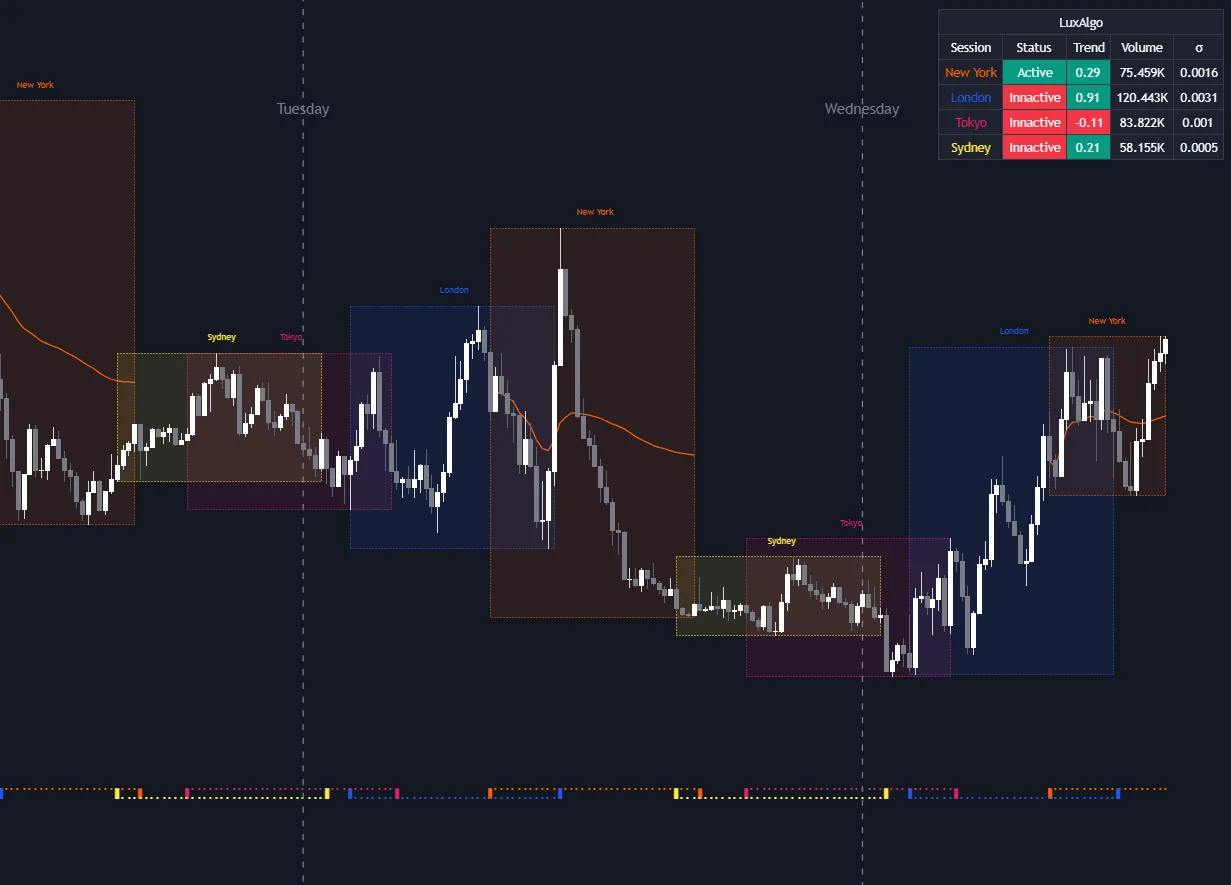
The terminal's chart tools are conventional and complete: candlestick, bar and line charts on the available timeframes, the built-in indicator set, drawing objects from trendlines and Fibonacci retracements to Gann and Elliott tools, templates that store a chart's indicators and appearance for reuse, and profiles that store whole chart arrangements. Custom indicators written in MQL, or bought and downloaded from the Market, appear alongside the built-ins in the Navigator. For a forex trader the most useful configuration is usually a small set of templates per strategy rather than a crowded default; the Library's trading sessions entry explains why session structure matters as much as indicators in currency markets, and our guide to the top technical indicators for forex analysis covers what to put on the chart.
Orders, Hedging and Netting
MetaTrader trades from the order window, from the chart, or from the Market Watch list of symbols. MT4 provides market and pending orders with stop orders and a trailing stop; MT5 specifies two market order types, six pending types and two stop orders, again with a trailing stop, and executes them under whichever position-accounting system the broker has set for the account. Under hedging, the mode familiar to forex traders, you can hold several positions in the same symbol, in the same or opposite directions, each with its own stop and target. Under netting, the exchange convention, there is one position per symbol and a new trade in the same symbol increases, reduces, closes or reverses it. The difference changes how an Expert Advisor must manage positions, so check the account type before writing or buying code.
Risk Tools
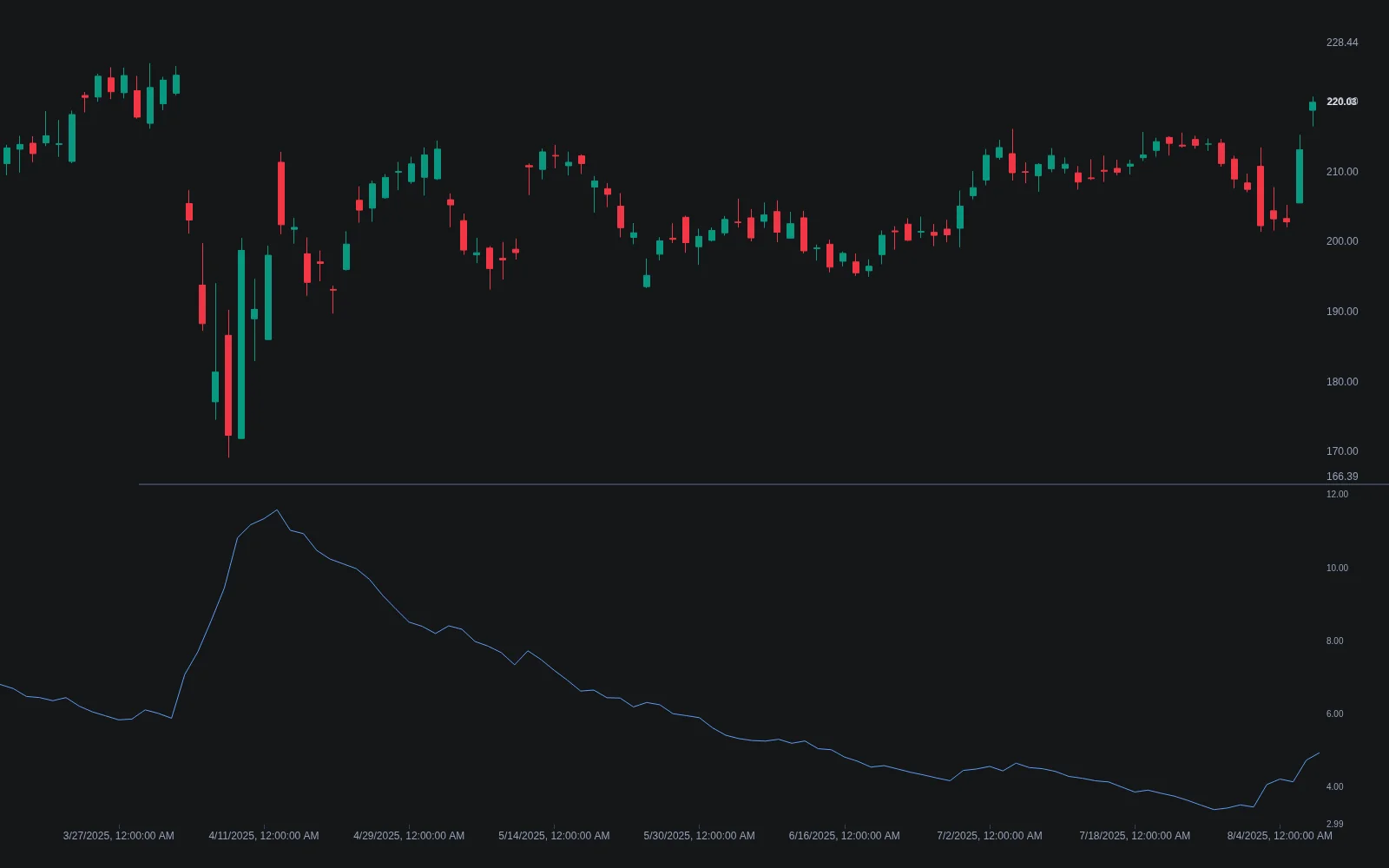
The platform provides the mechanics of risk control, stop loss, take profit and the trailing stop, and leaves the parameters to you. Note that the trailing stop in MetaTrader runs in the client terminal, so it only updates while the terminal is connected, which is one reason traders who rely on it run the platform on a virtual private server. Position size is the other half of risk, and the platform does not choose it for you: the standard method is fixed-fractional sizing, in which the lot size follows from the fraction of equity you are prepared to lose, the stop distance in pips and the pip value of the pair, which depends on the quote currency and your account currency. Our guide to pips versus ticks covers the arithmetic, and the Library's Average True Range is the usual basis for a volatility-scaled stop distance.
Automation: Expert Advisors, MQL and the Strategy Tester
An Expert Advisor is a program that runs in the terminal, reacts to ticks and places orders through the connected account; custom indicators compute and draw; scripts run once. MT4 programs are written in MQL4 and MT5 programs in MQL5, both in the bundled MetaEditor. The MetaTrader 5 Strategy Tester is where an EA is evaluated before it trades: it is multi-threaded, distributing work across computing agents on your machine, and offers tick generation modes from the fastest open-prices-only pass to every tick and to testing on real ticks recorded by the broker, which MetaQuotes describes as the mode closest to live conditions. It also supports multi-currency testing and a forward-testing option that splits the chosen period so that parameters optimised on the first part are checked on the second, MetaQuotes' own safeguard against fitting to one interval. Our guide to backtesting custom indicators in MetaTrader walks through the tester, and backtesting traps covers the errors that survive it.
Market, Signals and VPS
Three MetaQuotes services surround the terminal. The Market sells and gives away third-party Expert Advisors, indicators and utilities that install directly into the platform. Signals lets you subscribe to another trader's account and have their deals copied into yours, with the platform documentation covering how to find, subscribe to and provide a signal; the honest caveat is that a signal's published history is a track record, not a forecast, and copying transfers the provider's drawdowns as faithfully as their gains. Virtual hosting rents a server near the broker so that Expert Advisors and trailing stops keep running when your computer is off. None of these replaces evaluating a strategy yourself.
Setting Up Sensibly
- Get the terminal from your broker. MetaTrader is distributed through brokers, who decide the version, the instruments and the account modes on offer. Open a demo account first; it is the same terminal with the same tester.
- Build one template per strategy. Save the indicators and appearance for each approach as a template, and save your chart arrangement as a profile, so a new pair loads ready to analyse.
- Configure alerts. The Alerts tab in the Terminal window creates price and time alerts; push notifications to the mobile app are enabled by entering the MetaQuotes ID from the app in the terminal's Options under Notifications.
- Decide your risk arithmetic before the first trade. Fixed fraction of equity, stop distance from structure or ATR, lot size from pip value. Write it down and apply it to every order.
- Test every Expert Advisor on real ticks and forward periods, then on the demo account, before it runs on money, and keep a kill plan: know how to disable automated trading in one click.
Choosing Between Them
Choose MT5 unless a specific broker, instrument or existing MQL4 codebase ties you to MT4. The larger indicator and object sets, the calendar and Depth of Market, and above all the multi-threaded tester with real-tick and forward modes make MT5 the better research environment, and MetaQuotes' development effort is there. Choose MT4 when your broker only offers it, when you rely on an MQL4 program that has not been ported, or when you want the simpler hedging-only account model. For a broader comparison of routes into algorithmic trading, including platforms with their own languages and broker APIs, see our guides to choosing a platform or API and the best programming languages for algorithmic trading.
Where Quant Charts Fits
Quant Charts is not a MetaTrader replacement and does not connect to a MetaTrader account. It is where the rule that an Expert Advisor would eventually execute gets designed and tested first. Forex pairs are among the markets on Quant Charts, alongside stocks, futures, crypto and commodities, on LuxAlgo market data that needs no broker account to view. Describe the rule to Quant, buy when the twenty-period average crosses above the fifty during the London session with a stop at two ATR and a fixed fraction of equity at risk, and Quant writes it in Pine Script on the active chart. Open Code to read the logic, click Run, and the Backtest Summary reports net profit, trade count, win rate, maximum drawdown and profit factor, with commission and slippage set in the strategy properties, so the idea is judged with costs before anyone spends a week writing and debugging MQL. If it survives, the Pine Script is a precise specification for the Expert Advisor; if it does not, nothing was coded twice. Library tools such as Sessions and Average True Range load in a click for the analysis, the Making Strategies with Quant guide shows the workflow, and PineTS, LuxAlgo's TypeScript implementation of Pine Script, lets the same logic run outside a chart.
One boundary. The LuxAlgo platform does not place orders for you; MetaTrader does, through your broker's server, which is exactly why the design and testing belong on Quant Charts and the execution stays with the terminal.
Conclusion
MetaTrader's two versions share a design, a broker-licensed distribution model and an ecosystem of Expert Advisors, Market and Signals; they differ in scale, with MT5 adding timeframes, indicators, objects, netting, Depth of Market, a calendar and a far stronger tester. The platform supplies order and risk mechanics and leaves the parameters and the strategy to the trader. Design and test that strategy where it is cheapest to do so, on Quant Charts with Quant writing the rule and the Backtest Summary judging it with costs, then carry the surviving specification into MQL and the Strategy Tester, and let the terminal do what it is built for: execution through your broker.
Key Takeaways
- Broker first. The version, instruments and hedging or netting mode are set by the broker who licenses the platform.
- MT5 for research. More timeframes, indicators and objects, plus a multi-threaded tester with real ticks and forward testing.
- Code does not port. MQL4 and MQL5 programs are separate; budget for a rewrite when moving.
- Risk is your arithmetic. Stops, targets and trailing stops are provided; the fraction of equity and the lot size are yours to define.
- Prototype on Quant Charts. Quant writes the Pine Script, the Backtest Summary reports it with costs, then the EA is built from a rule that already passed; no LuxAlgo tool places orders.
FAQs
What is the difference between MetaTrader 4 and MetaTrader 5?
MetaTrader 5 is the multi-asset successor: 21 timeframes against 9, 38 built-in indicators against 30, 44 analytical objects against 23, more order types, hedging or netting position accounting set by the broker, Depth of Market, an economic calendar and news inside the platform, and a multi-threaded Strategy Tester with real-tick, multi-currency and forward-testing modes. Programs are written in MQL5 rather than MQL4 and are not interchangeable.
Is MetaTrader free?
The terminals are supplied free by brokers, who license the software from MetaQuotes and run the server side. You pay the broker's spreads, commissions and swaps when you trade. Optional costs include third-party robots and indicators from the Market, Signals subscriptions and virtual hosting.
What is an Expert Advisor?
An automated program written in MQL4 or MQL5 that runs in the MetaTrader terminal, reacts to incoming ticks and places, modifies and closes orders through your broker account. Because it trades real money, it should be evaluated in the Strategy Tester, including on real ticks and with a forward period, and then on a demo account before running live.
What is the difference between hedging and netting in MetaTrader 5?
Under hedging you can hold several positions in one symbol at once, in either direction, each with its own stop and target, which is the forex convention. Under netting there is a single position per symbol and each new trade increases, reduces, closes or reverses it, which is the exchange convention. The broker sets the mode for each account type, and Expert Advisors must be written for the mode in use.
How should I size positions in MetaTrader?
The platform provides stop loss, take profit and trailing stop but does not choose your size. The standard approach is fixed-fractional sizing: decide the fraction of equity to risk, set the stop distance from structure or a multiple of Average True Range, and compute the lot size from that distance and the pair's pip value in your account currency. Apply the same arithmetic to every trade.
How does Quant Charts relate to MetaTrader?
Quant Charts does not connect to MetaTrader or place orders; it is the research and testing environment. Describe a forex rule to Quant, LuxAlgo's coding agent, and it writes the Pine Script on the chart; Code shows the logic and Run produces the Backtest Summary with commission and slippage. A rule that passes becomes a precise specification for an Expert Advisor; one that fails is discarded before any MQL is written.
References
LuxAlgo Resources
- Quant Charts
- LuxAlgo Quant
- Making Strategies with Quant
- PineTS Documentation
- Sessions Indicator
- Average True Range Indicator
- Trading Sessions Concept
- Fixed Fractional Concept
- MQL Programming: Trading Code Essentials
- How to Backtest Custom Indicators in MetaTrader
- Best Programming Languages for Algorithmic Trading
- Choosing an Algorithmic Trading Platform or API
- Top 5 Technical Indicators for Forex Market Analysis
- Pips vs Ticks: Key Differences Every Forex Trader Must Know
- Forex Trading Essentials: A Beginner's Guide to Currency Markets
- Backtesting Traps: Common Errors to Avoid
External Resources
- MetaQuotes — MetaTrader 4 Trading Platform
- MetaQuotes — MetaTrader 5 Trading Platform
- MetaTrader 5 Help — Trading Concepts, Netting and Hedging
- MetaTrader 5 Help — Strategy Tester
- MetaTrader 5 Help — Signals
- MetaTrader 5 Help — Platform Settings
- MQL5 Reference
- MQL4 Reference
- MQL5 Market
- Wikipedia — MetaTrader 4
Read next